



Start here
If you cannot see other people’s uploads, or the shared album is not syncing, work through Apple’s checks in order: turn on Shared Albums, accept the invitation, test the connection, compare on another device or iCloud.com, check the owner’s iCloud storage and update to iOS 27 if you can. Only then, on iOS 26 or earlier, turn Shared Albums off and on. Do not delete the album first. If an older album could not upgrade, the person who created it should update to the latest software and retry from the album’s More button. After an upgrade, Apple keeps the older copy for six months.
For your next trip, party or wedding
Next time, skip the shared album
Create a Sealed capsule before the moment. Everyone shoots from their own phone, nobody sees a thing until the reveal, then the whole group opens it together.
- Each guest installs Sealed and joins with a 6-character code or a link, on iPhone or Android. Up to 30 phones, no account needed.
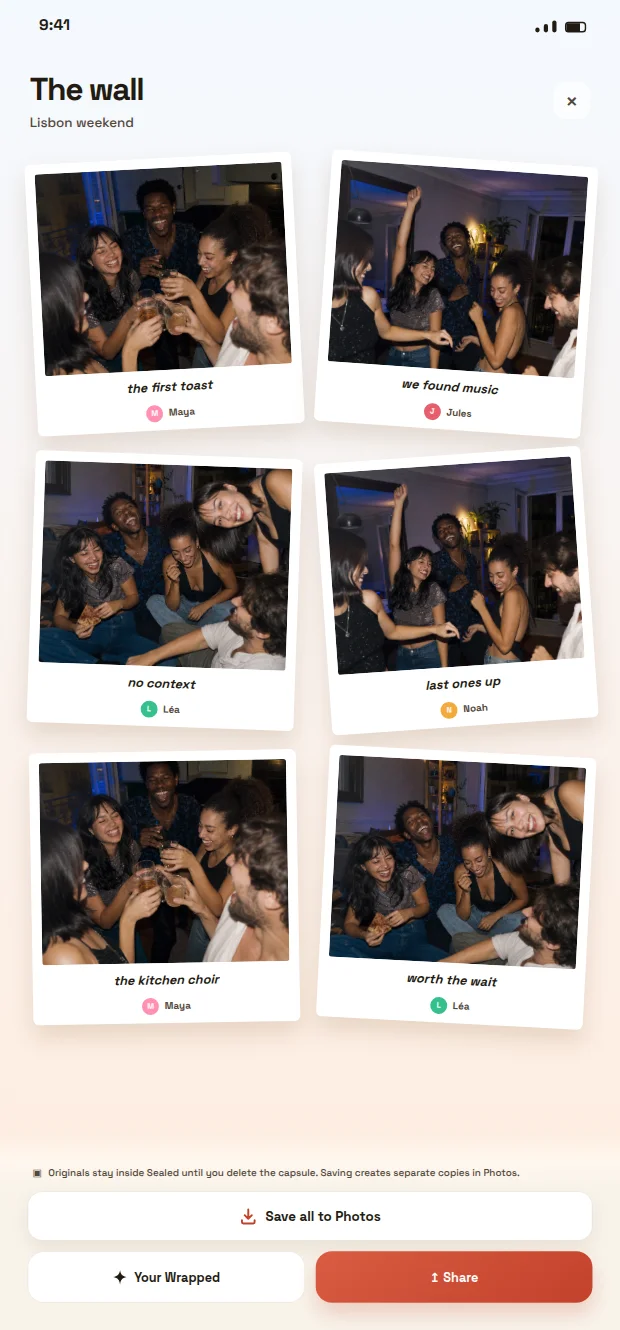
- Every photo lands on one wall, with the name of who took it. Nothing to chase afterwards.
- Photos stay sealed until the deadline, so people keep shooting instead of reviewing.
- When it opens, save the whole wall to Photos in one tap.

Scan with your phone camera to install Sealed
Free download. Sealed does not repair or recover Apple Shared Albums.
Planning an event? Wedding photo app · Birthday party photo app · Bachelorette party photo app
1. Turn on Shared Albums
Open Settings, tap Apps, then Photos, and scroll down to make sure Shared Albums is turned on. Apple also shows the switch in Settings, your name, iCloud, Photos. Sign in with the same Apple Account on every device where you expect to see the album.
Shared Albums and iCloud Shared Photo Library are separate features. This guide concerns an album someone invited you to, not a personal photo library that has stopped syncing.
2. Invitation not showing up? Accept it or ask again
If the album never appeared, the invitation may still be waiting. For an album created on iOS 26, look in Photos under Collections, Shared Albums, Activity, or in Notification Center, and accept it there. An album created on iOS 27 is shared as a link: open it and follow any access request, which the owner may need to approve.
Still nothing? Ask the owner which address they invited and to send the invitation again. Apple documents Resend Invitation for iOS 26 albums and sharing the album link again on iOS 27.
3. Check the connection on every device
Apple’s network check is simple: open apple.com or iCloud.com on each device involved, yours and the sender’s. If the page does not load, fix that connection first. Then look at Apple’s System Status page for a reported outage.
4. Can’t see other people’s uploads? Compare on iCloud.com
Open the album on another of your devices, at icloud.com/photos, or ask another member whether they can see it. If they see the photos and you do not, the problem is limited to your device. If nobody sees a picture, ask the sender to confirm they posted it to this exact album, not only to their own library.
Keep a note of the affected photo, who added it and any error message. It will help Apple Support if the next steps do not work.
5. Ask the owner to check their iCloud storage
Apple’s checklist includes the owner’s iCloud storage. The person who created the album should make sure they have not exceeded their iCloud storage limit. If they have, they can manage their storage or upgrade their iCloud+ plan.
6. Update to iOS 27 if your iPhone supports it
Apple recommends version 27 or later of iOS, iPadOS and macOS for Shared Albums when your device can run it. Albums created on version 27, or upgraded by their owner, are read-only on earlier versions: you can look, but not add photos, like or comment. To contribute again, update every device you use or open the album on iCloud.com.
7. On iOS 26 or earlier, turn Shared Albums off and on
Apple keeps this step for version 26 or earlier and asks you to back up the photos in the shared album first. Then go to Settings, Apps, Photos, turn off Shared Albums, wait 10 minutes and turn it back on.
If the shared album could not upgrade to iOS 27
Since iOS 27, iPadOS 27 and macOS 27, the person who created an album on earlier software can upgrade it to the new Shared Albums. First update the device to the latest software. Then open Photos, tap Collections, scroll to Shared Albums, choose the album, tap the More button, then Upgrade Shared Album, and follow the onscreen instructions. On a Mac, use the Manage Shared Album button.
Apple’s upgrade page does not list the causes of a failed upgrade. Before you retry, confirm the conditions it does set: you created the album and the device runs the latest software. Once upgraded, existing photos do not count toward iCloud storage, new ones count toward the owner’s storage, and participants on older software must update or use iCloud.com.
Do not delete the original while you retry. After an upgrade, Apple keeps a copy of each older album for six months in Settings, your name, iCloud, Photos, Shared Albums, Archived Shared Albums, where Recover puts it back next to the upgraded one. After six months it is deleted permanently.
Before deleting anything, keep a copy
Do not delete the album, remove participants or sign out of your Apple Account as a first try. Apple’s deletion rules can affect every subscriber, so a reset is not a harmless way to refresh the screen. Save the pictures you want to keep and store important originals separately.
If these checks do not help, contact Apple Support with your iOS version, the album type and the comparison from step 4. Sealed cannot repair or recover an iCloud album.
For a future event with a shared reveal
If your next goal is taking new photos together and seeing them later, Sealed offers a shared capsule: each guest joins from their own phone with a code or a link, the photos stay sealed, then the group opens the capsule together after its deadline. Agree on participation and saving before the event.
That is a different decision from recovering existing Apple photos. Use the event-photo guide below to compare the participation and reveal you want. Do not assume every guest can contribute through a browser or every phone setup is supported. Apple documentation checked on 21 October 2026.
Frequently asked questions
Why can’t I see other people’s photos in a shared album?
Most often Shared Albums is off on your device, the connection is down, the owner’s iCloud storage is full, or the album was made or upgraded on iOS 27 while your device runs an older version. Check those in order before deleting anything.
Why is my shared album invitation not showing up?
Look in Photos under Collections, Shared Albums, Activity, or in Notification Center. Albums created on iOS 27 are shared as a link instead. If nothing is there, ask the owner to resend the invitation or the link to the right address.
Why could my shared album not upgrade?
Apple does not publish the causes of a failed upgrade. Its steps require the person who created the album and a device updated to the latest software, iOS 27, iPadOS 27 or macOS 27 or later. Update, retry from the album’s More button, and contact Apple Support if it still fails.
Why can I see the album but not add photos?
An album created on iOS 27, or upgraded to it, is read-only on earlier versions. Update to version 27 or later, or open the album on iCloud.com. The owner can also check whether participants are allowed to add photos.
Should I delete and recreate the album?
Do not start there. Work through the checks above with the owner first, and save any pictures you need before actions that change the album.
Can Sealed fix photos missing from iCloud?
No. Apple manages Shared Albums. Sealed can provide a separate photo-capsule ritual for new moments, not recover or repair an Apple album.
Sources and further reading
These resources provide the wider reference frame. Product statements on this page are limited to the public information provided by Sealed.
- Apple: if you can’t see your shared album or it isn’t syncing
- Apple: Shared Albums, with separate iOS 26 and iOS 27 instructions
- Apple: find and accept a Shared Album invitation
- Apple: resend an invitation or check an album that is no longer shared
- Apple: upgrading an older shared album
- Apple: live system status
- Sealed: photo capsules and reveal
- Sealed methodology