



For your next trip, party or wedding
Next time, skip the shared album
Create a Sealed capsule before the moment. Everyone shoots from their own phone, nobody sees a thing until the reveal, then the whole group opens it together.
- Each guest installs Sealed and joins with a 6-character code or a link, on iPhone or Android. Up to 30 phones, no account needed.
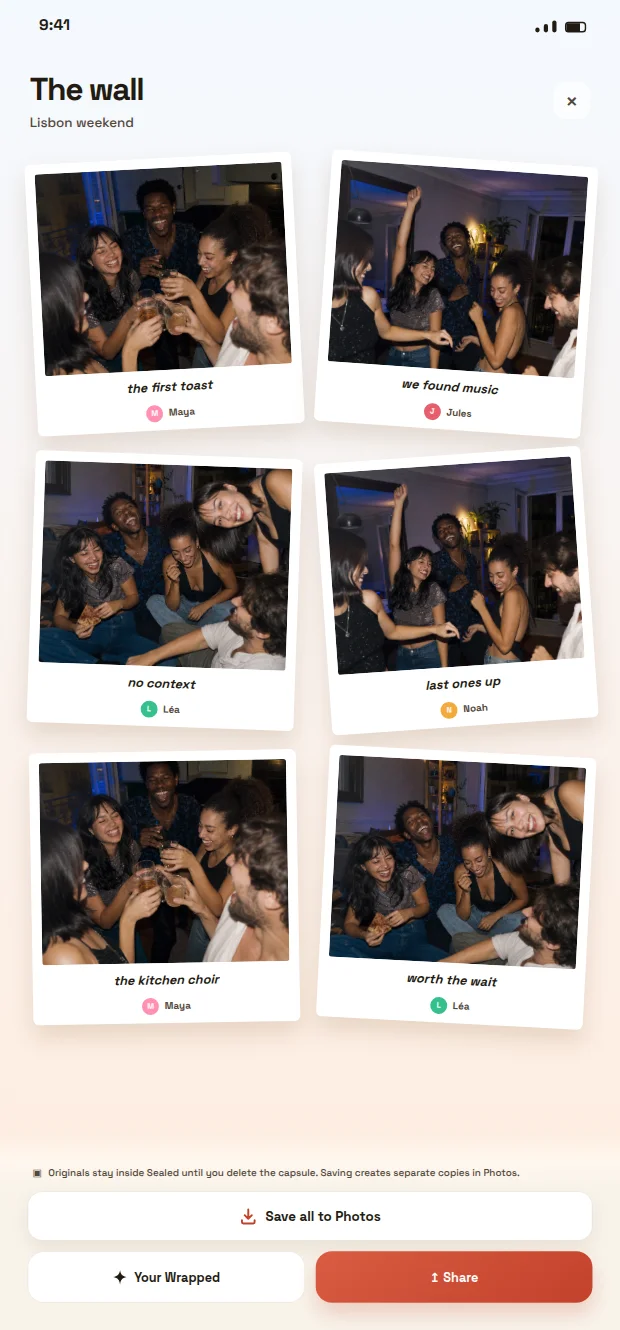
- Every photo lands on one wall, with the name of who took it. Nothing to chase afterwards.
- Photos stay sealed until the deadline, so people keep shooting instead of reviewing.
- When it opens, save the whole wall to Photos in one tap.

Scan with your phone camera to install Sealed
Free download. Sealed does not repair or recover Apple Shared Albums.
Planning an event? Wedding photo app · Birthday party photo app · Bachelorette party photo app
Why groups reach for a shared album in the first place
When a group wants one place to collect everyone's photos from a trip, party or reunion, the question of how to make a shared photo album apple devices can use together usually comes up fast. The appeal is obvious: instead of a dozen separate camera rolls and forwarded messages, contributors add their shots to a single collection that everyone can browse and add to later.
That convenience comes with a few decisions worth making deliberately rather than by default. Who can add photos, who can see them, and when people actually look at the album all shape how the experience feels. A shared album set up carelessly can turn into a stream of interruptions as notifications trickle in every time someone adds a picture, which works against the kind of calm, considered reveal many groups actually want.
Setting up a shared album with Apple Photos
Apple's own support documentation for Shared Albums in Photos walks through the mechanics: creating an album, inviting participants by email or phone number, and choosing whether the album is private to invitees or published as a public link anyone can view. It's worth reading that guide directly before you start, since exact menu steps can shift between iOS versions and are best confirmed against Apple's current instructions rather than a secondhand summary.
Beyond the setup screens, a few practical choices matter more than they first appear. Deciding whether contributors can add photos versus only view them changes who controls the final collection. Deciding whether notifications are on for every new addition, or silenced until a later check-in, changes whether the album feels like a slow-building surprise or a constant ping. Neither choice is right or wrong; it depends on what the group actually wants from the experience.
Consent before the album fills up
A shared album makes it easy to add a photo in seconds, which is exactly why it's worth pausing before doing so. If a photo clearly shows someone who hasn't agreed to appear in a shared or public collection, it's reasonable to check with them first, particularly if the album's visibility extends beyond the immediate group or is set to a public link that anyone with it can view.
This matters more, not less, once an album is easy to share widely. A public link can be forwarded outside the original group without much friction, so the consent question isn't only about the people you invited directly - it's about anyone who might end up seeing the images once the link travels. Building in a quick check before adding a photo, especially one with identifiable faces, costs almost nothing and avoids awkward retractions later.
Worked example: setting up an album for a weekend trip
Imagine six friends returning from a weekend away, each with their own photos on their phones. Here's a plausible sequence for turning that into one shared album without it becoming chaotic.
This is only an illustrative example, not a documented outcome, but it shows how the small decisions compound into a much calmer experience overall.
- Create the album and invite only the six people who were on the trip, rather than defaulting to a public link.
- Agree on a simple rule up front, such as no one adds a photo that clearly identifies another attendee without a quick heads-up in the group chat.
- Turn off per-photo notifications and instead agree on a single evening, a few days later, when everyone opens the album together.
- After the reveal moment, decide as a group whether to keep the album private, add more people, or archive it.
How shared reveal thinking applies beyond a single app
The idea of gathering photos privately and opening them together, rather than watching them accumulate in real time, is central to how Sealed thinks about group photography. Sealed is built around a delayed, shared reveal: everyone shoots, nobody peeks, and the group opens the results together, rather than each photo landing individually as it's taken.
That framing doesn't require Sealed's own product to apply the same idea to an Apple Shared Album. You can borrow the principle - hold the reveal, minimize interruption, protect participant consent - using nothing more than the notification settings already built into Photos. The tool changes; the underlying discipline of shared anticipation and a considered reveal moment doesn't have to.
For readers curious how Sealed's own approach to consent and reveal timing is documented, Sealed's methodology page lays out the public reasoning behind those choices, separate from any claim about what Apple's Shared Albums feature does or doesn't support.
A short checklist before you finalize the album
Before treating a shared album as done, it helps to run through a few checks rather than assuming the defaults are right for your group.
- Confirm the album's visibility setting (invite-only versus public link) matches what the group actually agreed to.
- Check that anyone who appears clearly in a photo has had a chance to consent, especially before switching an album to a public link.
- Decide whether notifications should fire per-photo or whether the group prefers a single reveal moment.
- Revisit the current Apple support page if any step doesn't match what you see on screen, since interface details change between OS versions.
- If children appear in any photos, review the album's public-facing information - Sealed's own site, for instance, publishes separate privacy, terms and child-safety information worth consulting as a general reference point.
Frequently asked questions
Can I make a shared photo album that only certain people can see?
Yes. Apple's Shared Albums feature lets you invite specific people by email or phone number so the album stays private to that group, as an alternative to publishing a public link that anyone with the URL can view. Check Apple's current support documentation for the exact steps, since menu options can change between iOS versions.
Do I need consent from everyone in a photo before adding it to a shared album?
It's good practice to get consent from identifiable participants before photographing or sharing them, particularly once an album might be seen outside the immediate group, such as through a public link. This isn't a legal requirement in every context, but it avoids awkward situations and respects people's control over their own image.
How do I stop a shared album from feeling like a stream of constant notifications?
Most shared album tools, including Apple Photos, let you adjust or mute per-addition notifications. Agreeing as a group on a single time to open and review the album together, rather than reacting to each new photo as it arrives, tends to make the experience feel more like a deliberate reveal than a running feed.
Sources and further reading
These resources provide the wider reference frame. Product statements on this page are limited to the public information provided by Sealed.